
What VINELink Covers in Costilla County
Colorado VINE / VINELink is the state's custody-status and notification route at vinelink.vineapps.com/state/CO/ENGLISH. It is designed for a specific-person check: search for the person, review any custody status shown, and register for notifications when the person is released, transferred, or has another custody change. VINE can include county jail and state custody records, but coverage depends on participating agencies and the individual record feed.
For Costilla County, VINE should be treated as a notification overlay rather than the underlying release record. The local jail record belongs to the Costilla County Sheriff's Office at costillacounty.gov/sheriff. The legal explanation may sit in the Costilla docket or court documents at coloradojudicial.gov/dockets?county=12&date_range=1_week. State-prison custody and parole or discharge status belong to the Colorado Department of Corrections offender search at doc.state.co.us/oss.
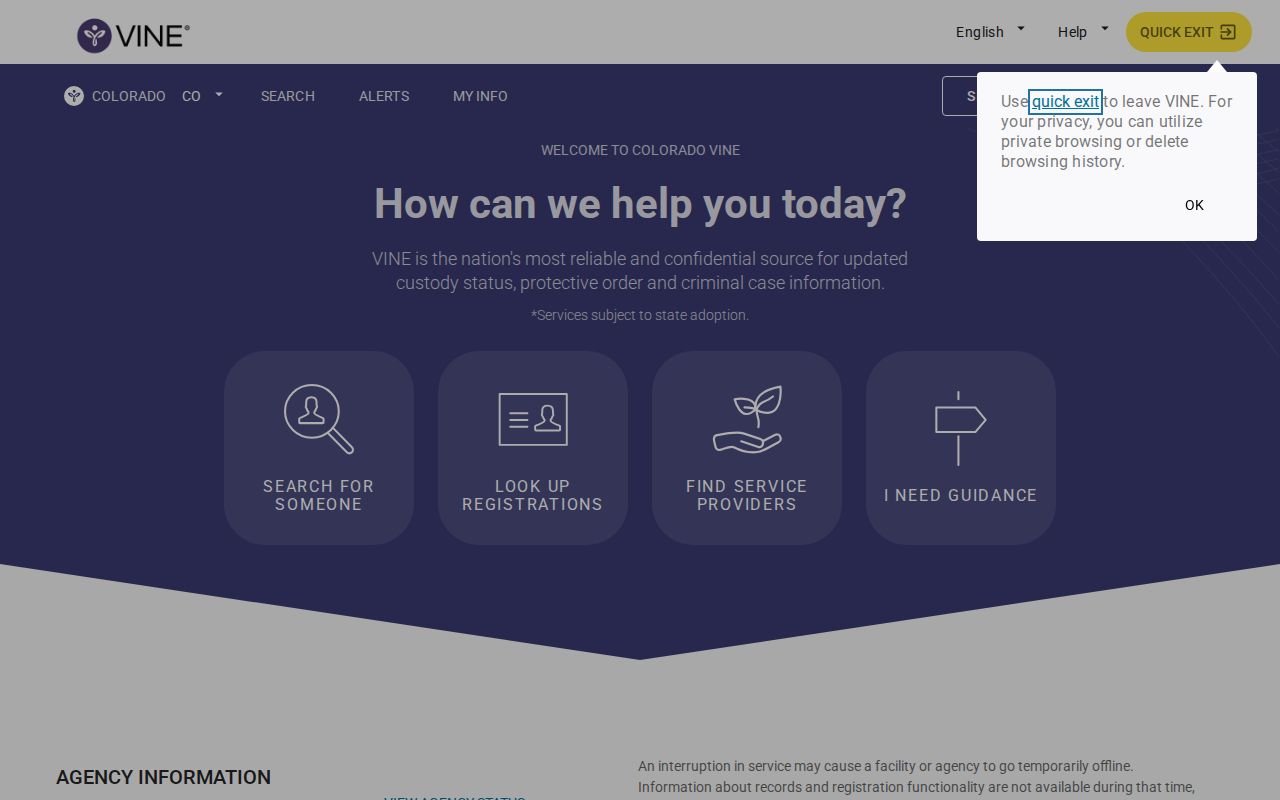
How to Search an Inmate on VINELink
Use the strongest identifier available. A name-only search can return multiple people, miss a spelling variation, or fail if the agency feed does not include the record. If you have an offender number, case number, date of birth, age, facility, or agency name, use those details to compare matches before registering for alerts.
- Open Colorado VINE at vinelink.vineapps.com/state/CO/ENGLISH.
- Choose the offender or person search option.
- Enter the person's first and last name, or an offender or case number if available.
- Compare matching records by name, age or date of birth where shown, facility, agency, offender number, and custody status.
- Open the best match and read the status shown. If the person is released, the result may show a released or out-of-custody status and may include a release date or agency label, depending on the feed.
- Save the controlling agency information. If VINE shows a Costilla County jail release, request the sheriff release record for formal proof. If VINE shows state custody, use CDOC for the state record.
What VINELink Shows About a Release
VINE fields can vary because the screens are dynamic and depend on the agency feed. The safe way to describe a Costilla County VINE check is by function: it may show current custody status, facility or agency, identifying information, and available notification options. For sentenced state inmates, CDOC remains the better source for release, parole, discharge, convictions, and projected date fields.
| VINELink item | How to read it |
|---|---|
| Custody status | May indicate in custody, released, out of custody, transferred, or another agency-fed status. |
| Agency or facility | Helps distinguish Costilla County Jail, another county jail, or a state custody record. |
| Offender or record number | Supports identity matching and can help when calling the agency or searching CDOC. |
| Release or custody-change information | Can confirm a VINE feed event, but the legal reason still belongs in the sheriff, court, or DOC record. |
| Notification methods | Lets a registrant choose available phone, email, text, or account-based alerts. |
| Verification or PIN step | Used to manage or stop notifications and confirm access to the chosen contact method. |
Register for a Costilla Release Notification
VINE is most useful before release because it can alert you when a custody change occurs. Register only after you have selected the correct person. If there are multiple matches, compare identifiers first or confirm with the agency before attaching your phone or email to the wrong record.
- Search Colorado VINE and select the correct person.
- Choose the registration or notification option on the record.
- Select an available method such as phone, email, text, or VINE account notification.
- Enter the contact details carefully.
- Complete the confirmation, verification, or PIN step required by the system.
- Save the registration and update it if the phone number or email changes.
- After an alert arrives, confirm the formal record through the sheriff, court, or CDOC source that controls the custody event.
For a Costilla County jail case, the formal request target is the Sheriff's Office records process. For a court event, use the Colorado Judicial Branch record/document request form at coloradojudicial.gov/recorddocument-request-form and ask for the disposition, sentence order, or Register of Action when appropriate.
Colorado VINE Phone Search
Colorado local-government VINE instruction pages provide a concrete phone workflow. Call 1-888-263-8463, choose the adult offender search option, and use the person's first and last name if you do not have an offender number. The system can give current status when a matching record is found. When prompted, choose the registration option and follow the phone prompts for contact details and confirmation or PIN setup.
The phone route is useful when you cannot use the online portal, when you need audio status information, or when the person setting up notifications relies on phone calls instead of email or text. The same limits still apply: phone VINE status is not a court disposition, not a sheriff records response, and not a substitute for CDOC confirmation when the person is a state prisoner or parolee.
VINELink Limits and Release Confirmation
VINE notifications are for custody changes. They are not sentencing records, booking-photo requests, criminal-history reports, or proof that every public record has been updated. A VINE release alert confirms a custody-status change in the VINE feed. The legal reason for the release should be confirmed through the Sheriff's Office, CDOC, or the Costilla court file depending on the custody type.
Federal and immigration cases also require separate channels. BOP is the federal custody locator, and ICE's detainee locator or field-office channels apply to immigration detention. A person may pass through Costilla County Jail and then leave local custody for another system. In that situation, VINE may be helpful only if the relevant record is fed into VINE; otherwise, follow the receiving agency.
County Jail vs CDOC Results
A Costilla County jail release and a CDOC release are different records. The jail release record may say the person left the local jail, posted bond, completed time, or was transferred. CDOC can show state-prison custody, parole, release, discharge, current convictions, physical descriptors, and dates where applicable. Colorado Virtual Library's CDOC summary says search results can include name, age, corrections number, mugshot, ethnicity, gender, height, weight, eye color, hair color, parole/release/discharge dates as applicable, and current convictions.
Use CDOC when the court or sheriff record points to a state prison sentence, a DOC transfer, parole, or discharge. Do not use CDOC as if it were a Costilla County jail roster. CDOC's own disclaimer says users should contact CDOC to confirm information because the database may sometimes contain inaccurate information. For high-stakes date questions, confirm through CDOC, the court sentence order, or counsel rather than relying on a single online status.
VINE Is Not the Sex-Offender Registry
Costilla County's sheriff page also links to sex-offender registry resources, but that is a different released-offender channel. The registry can show qualifying registered sex offenders living in a jurisdiction, subject to Colorado law and exclusions. It does not list all released inmates, all jail releases, all parolees, or all people released in the last 24 or 72 hours.
The research notes that Costilla County's public registry information warns not all registered sex offenders are published online and gives a local complete-list contact through the Sheriff's Office. Keep the systems separate: use VINE for custody-change notifications, the registry for qualifying registrants, the Sheriff's Office for local jail records, and court records for disposition or sentence information.
Follow Up After a VINE Alert
VINE information is useful for notification, personal awareness, court process, and custody-status confirmation. It should not be treated as a complete criminal-history product. Records may be delayed, incomplete, corrected, sealed, restricted, or removed from public access. The right follow-up is official confirmation from the relevant custodian.
If the alert points to Costilla County Jail, ask the Sheriff's Office for the releasable booking and release record. If the alert points to state custody, search CDOC and contact CDOC when a date or status needs confirmation. If the alert involves a court event, use the Costilla docket and request the disposition, sentence order, or Register of Action. This keeps the alert tied to the agency that can explain it.
Keep a record of the date of the VINE alert, the agency name shown, and any status wording that appeared. Those details help when calling the Sheriff's Office, searching CDOC, or filing a court-record request, especially if the online VINE record later becomes harder to find.
When a status label is unclear, repeat the search with alternate name spelling and compare agency details before calling the custodian.
Public Record Search
Sponsored Results